





Every part of running a restaurant, in one place, with a nerdy little chef at your side.

Invoices, inventory, payroll, scheduling and HR with digital signatures, all answered from your restaurant's own numbers and powered by the AI agent you already pay for.

How it fits together

Your data, your AI, your storage.

Your restaurant gets its own private database, and your AI works from the files on your own computer. Nothing is ever mixed with another restaurant.

Works well with Hermes Agent
Hermes Agent
Claude CodeCodexMiniMaxOpenRouter
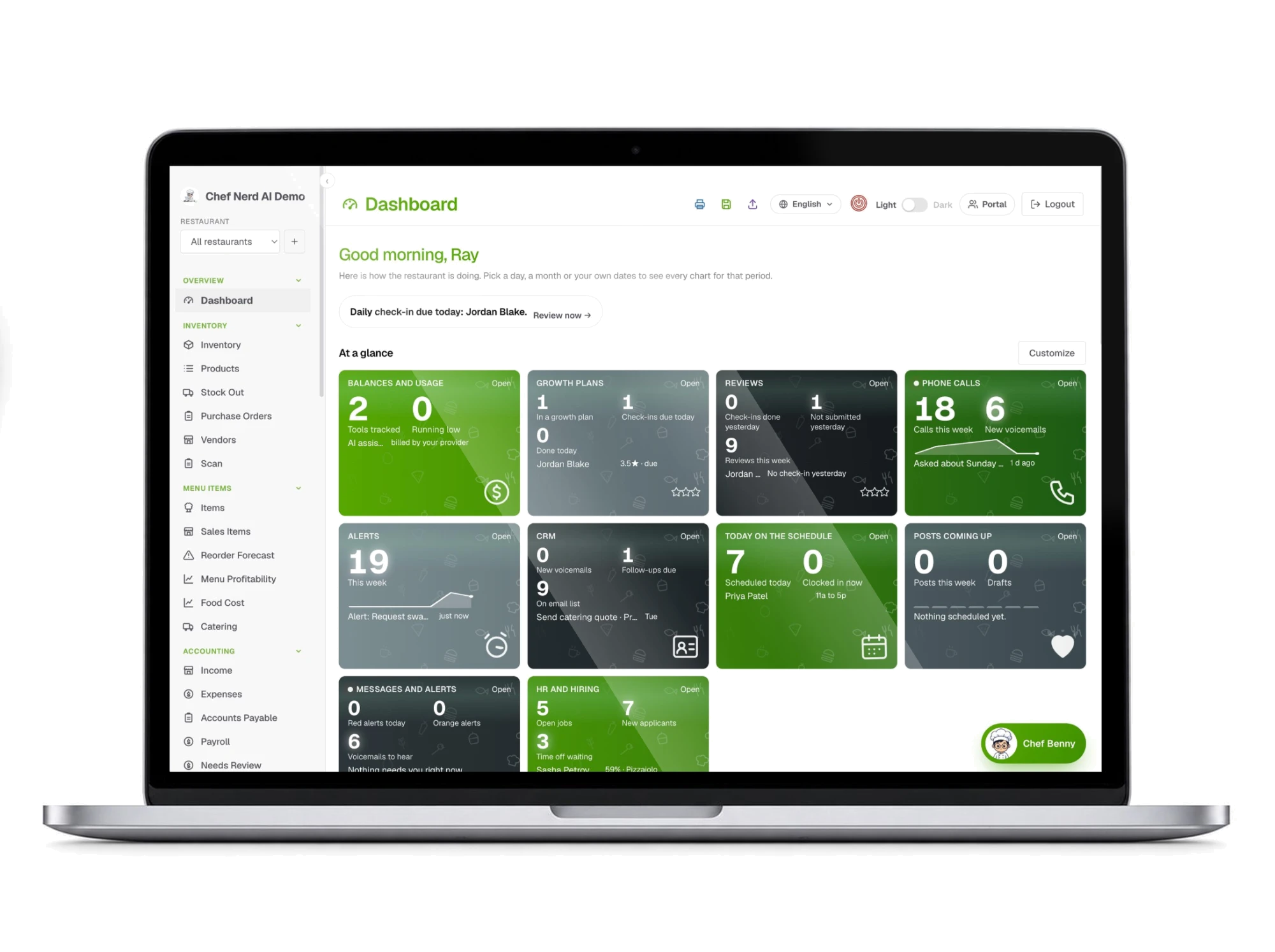
MacBook showing the Chef Nerd AI dashboard with balances, growth plans, reviews, phone calls, alerts, CRM, schedule, posts and HR cards in one view.
Vercel
Neon Postgres
Retell AI
Resend
Cloudflare R2

The back office your restaurant runs on.

Everything that happens between the kitchen and the books, in one app that your team will actually use.

  • Bring your own agent. Use an AI agent that runs on your own computer and learns your restaurant. One flat rate, no surprise cloud bills.
  • Invoices, expenses and P&L. Snap a photo of a bill and every item is reviewed on its own, sorted by rules you set, and tied to the invoice it came from. See profit and loss by day and by location, down to each line.
  • Penny Pincher. Reads all of your books and finds where money leaks: prices that crept up, vendors you overpay, dishes that cost too much and hours that were wasted.
  • Payroll and pay stubs. Hours come straight from the time clock. Withholding and tip pools are handled, and every employee gets their stub on their phone.
  • QR punch clock. A code that changes after every scan, so nobody can clock in from home. Hours go straight to payroll.
  • Schedules and HR. Schedules, check-ins, reviews, growth plans, recognition, time off and pay fairness in one place.
  • Inventory and reordering. Scan a barcode or just say the count. Get warned before you run out.
  • Prospecting. Check a neighborhood before you sign a lease: who lives there, what they spend eating out, rent and the restaurants already there.
  • Landing pages. A page for your socials, a party or an event, each with its own QR code, a printable poster and a sign-up list.
  • Chef Nerd AI Bakery Studio. A Mac app that makes the photo and cuts the video, then sends it to your marketing calendar.
  • AI receptionist. Every call is answered, sorted by type, and sent to the right inbox with voicemail.
  • Customers and marketing. Track leads and catering, plan posts, and create ads. Connect your POS and your sales update the books on their own.
  • Digital signatures. Sign W-4, I-9, W-9 and policy documents on a phone, with a full record of who signed what.
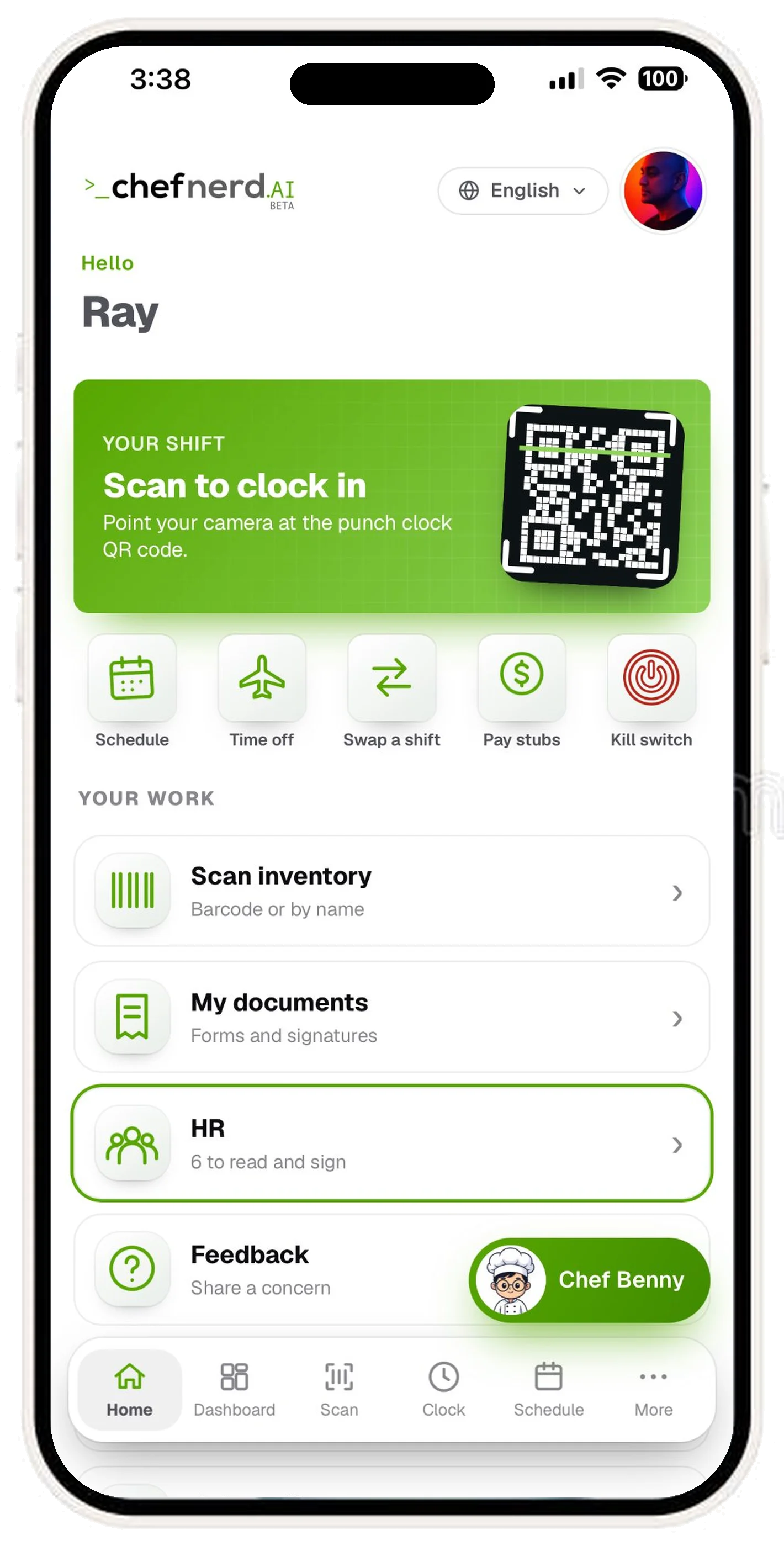
Employee portal on iPhone: greeting, shift with Scan to clock in, row of Schedule, Time off, Swap a shift, Pay stubs, Kill switch, and a list of work shortcuts: Scan inventory, My documents, HR, Feedback, with the Chef Benny assistant floating on the right. Bottom tab bar: Home, Dashboard, Scan, Clock, Schedule, More.

A perfect app for your team.

Everything your employees need on the phone, in English and Spanish.

  • Clock in with a QR code. Scan the live code at the restaurant. It changes after every scan, so a photo of it will not work.
  • Schedule and time off. See this week and next, ask for time off, and swap shifts without a group text.
  • Pay stubs on the phone. The day payroll finishes, each stub arrives in the app and by email.
  • Sign on the phone. W-4, I-9, W-9 and policy documents, with a record of every signature.
  • Messages that reach them. Shift reminders and urgent updates, in their language, the way they prefer.

Meet Chef Benny.

Chef Benny is the chat bot that lives inside Chef Nerd AI: friendly, a little nerdy, always in his chef's hat. He runs on the AI agent you choose, so there is no extra AI bill, and he answers from your restaurant's own numbers, not guesses.

  • Ask who is on the schedule, who is clocked in, or how to do something in the app
  • Drop in a receipt, an invoice or a photo and he reads it for you
  • Staff can ask him questions, or send a note to their manager, in their own language
  • He plays along when you joke. Try asking for a knock-knock
Chef Benny, the Chef Nerd AI chat bot: a smiling cartoon chef with round glasses typing on a laptop
How it works

From setup to your dashboard in three steps.

  1. 1

    Connect and train your agent

    Run one setup command and your own AI agent connects to Chef Nerd AI. It learns your restaurant: your products, recipes, vendors and team. Chef Benny, the built-in assistant, answers through it.

  2. 2

    Drop in your paperwork

    Send invoices, receipts, bank statements, menus and schedules to the chat or the inbox. PDFs, photos and spreadsheets all read. Anything unclear is flagged for you, never guessed.

  3. 3

    See it on your dashboard

    Drafts wait in Needs Review for one tap to approve. Then bills, stock, recipe costs, payroll and profit and loss update on your dashboard and reports. Nothing is paid or posted until a person says yes.

What it looks like

Every screen of your restaurant back office.

Restaurant profit and loss, by day and by location

See what you made and spent from real bills and daily sales, not estimates. Open any line to the invoice behind it.

  • Income, cost of goods sold, gross profit and expenses on one report
  • Filter by date range and by location
  • Export for QuickBooks or Xero as a CSV
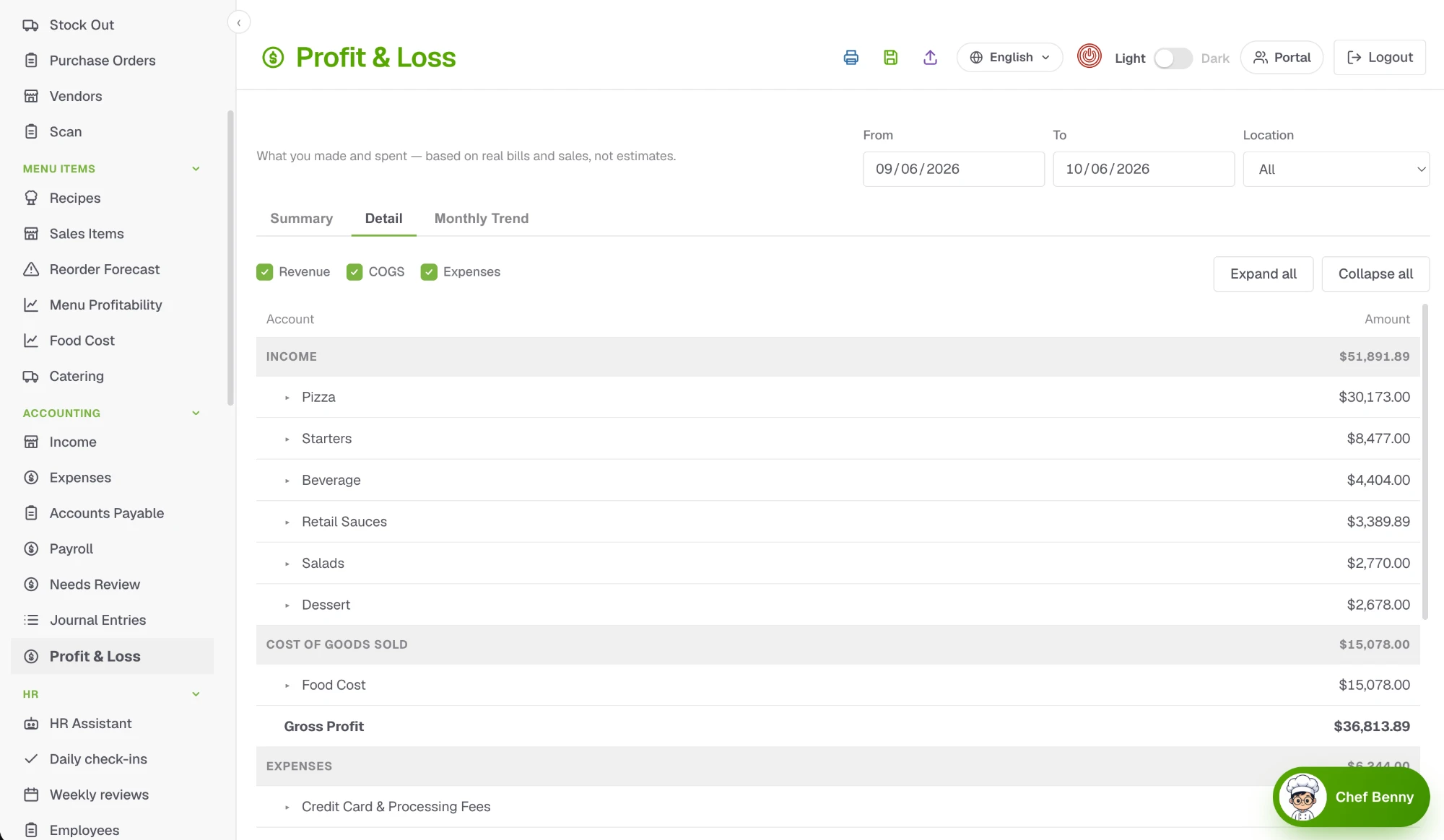
Profit and Loss report with income by category, cost of goods sold, gross profit and expenses.

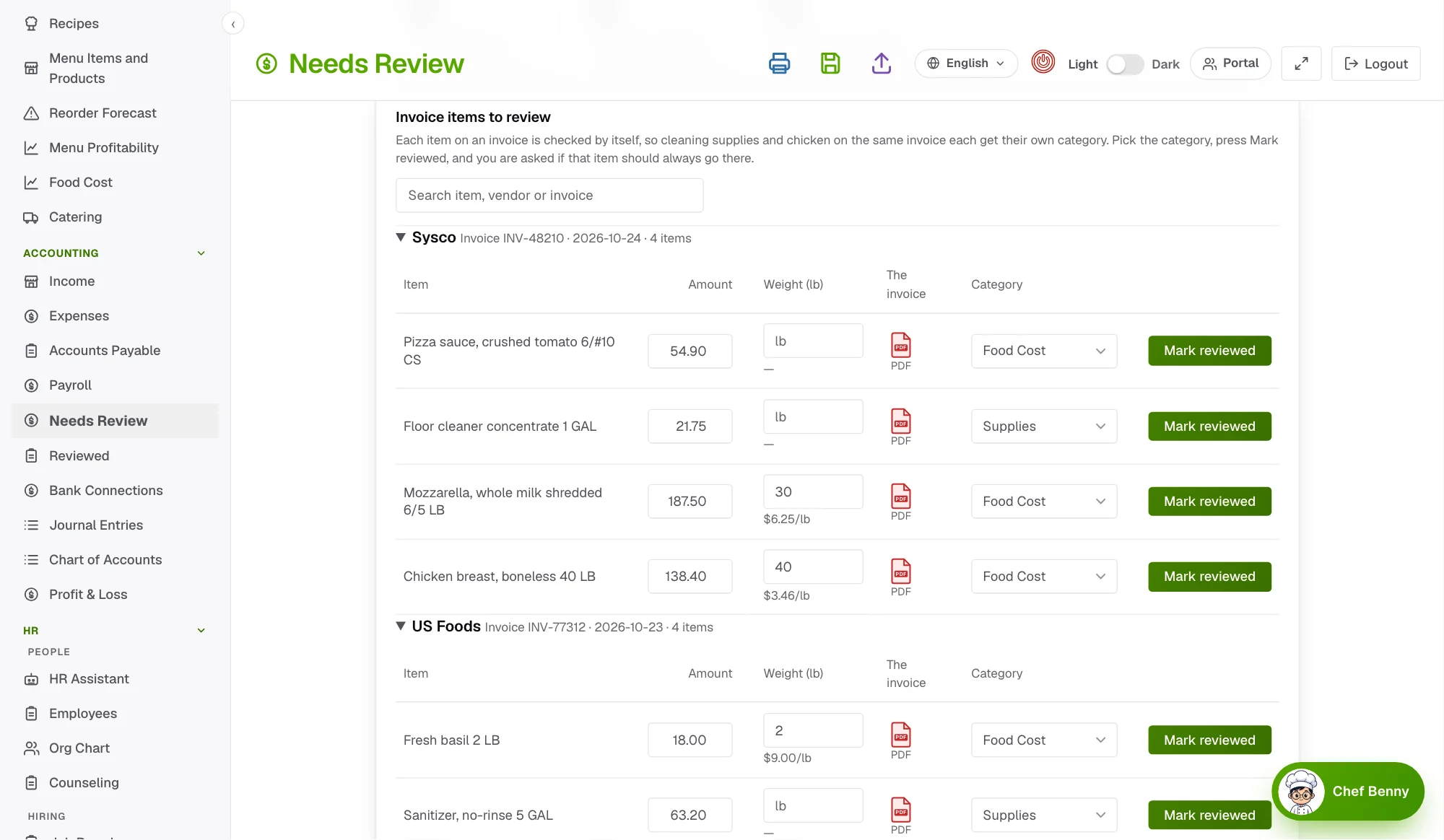
Every invoice item reviewed on its own

Cleaning supplies and chicken on the same invoice each get their own category. Review an item once and tell the app to sort it that way from now on.

  • Each line of an invoice has its own category and its own check
  • Always sort this item the same way, like the rules in QuickBooks
  • Open the invoice with the exact line highlighted, whether it came as a PDF, a photo or a spreadsheet
Needs Review page listing each invoice item with its category, weight, cost per pound and a link to the original invoice.

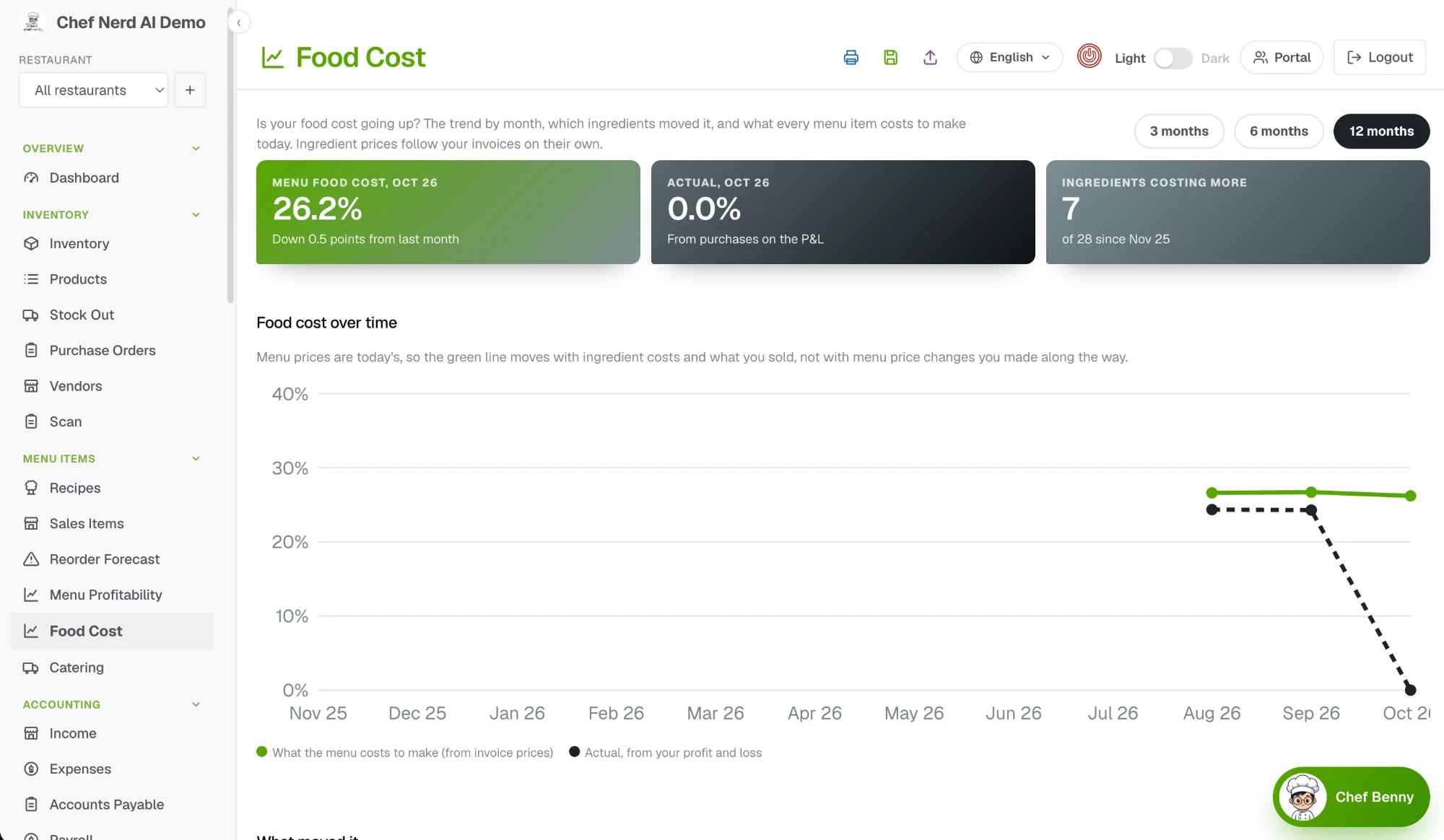
Food cost, tracked against every invoice

Is your food cost going up? See the trend by month, which ingredients moved it, and what every menu item costs to make today. Ingredient prices follow your invoices on their own.

  • Menu food cost percent next to your actual cost from the P&L
  • A chart for 3, 6 or 12 months
  • The ingredients that cost more, ranked
Food cost report with menu food cost percent, actual cost and a chart of food cost over time.

Penny Pincher finds where your money leaks

It reads all of your books, not one month, and tells you where you can save: prices that crept up, vendors you overpay, dishes that cost more than they should and time that went to nothing.

  • Money leaks, what changed and a month by month trend
  • Prices, plate cost and vendors side by side
  • A 90-day plan you can follow, with the hours your team wastes put in dollars
Penny Pincher overview with money leaks, what changed since last period and a 90 day plan.

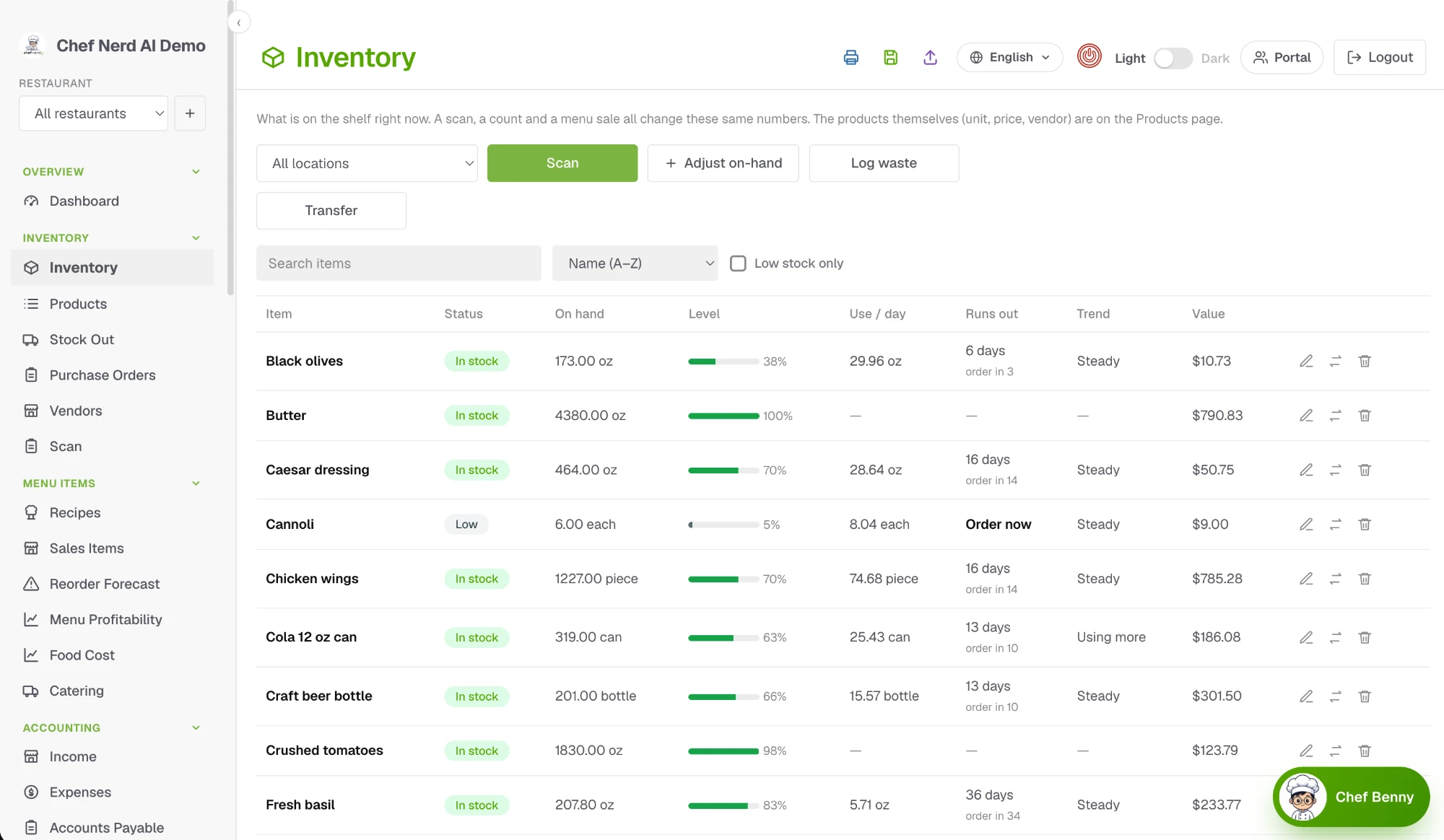
Restaurant inventory that shows when you will run out

Every scan, count and sale updates the same numbers, so you always know what is on the shelf, how fast it is used and when to order.

  • On hand, stock level and daily use for every product
  • A runs-out date and an Order now flag before you hit zero
  • Scan a barcode or adjust a count by hand
Inventory list with on-hand amounts, stock level bars, daily use, days until each item runs out and value.

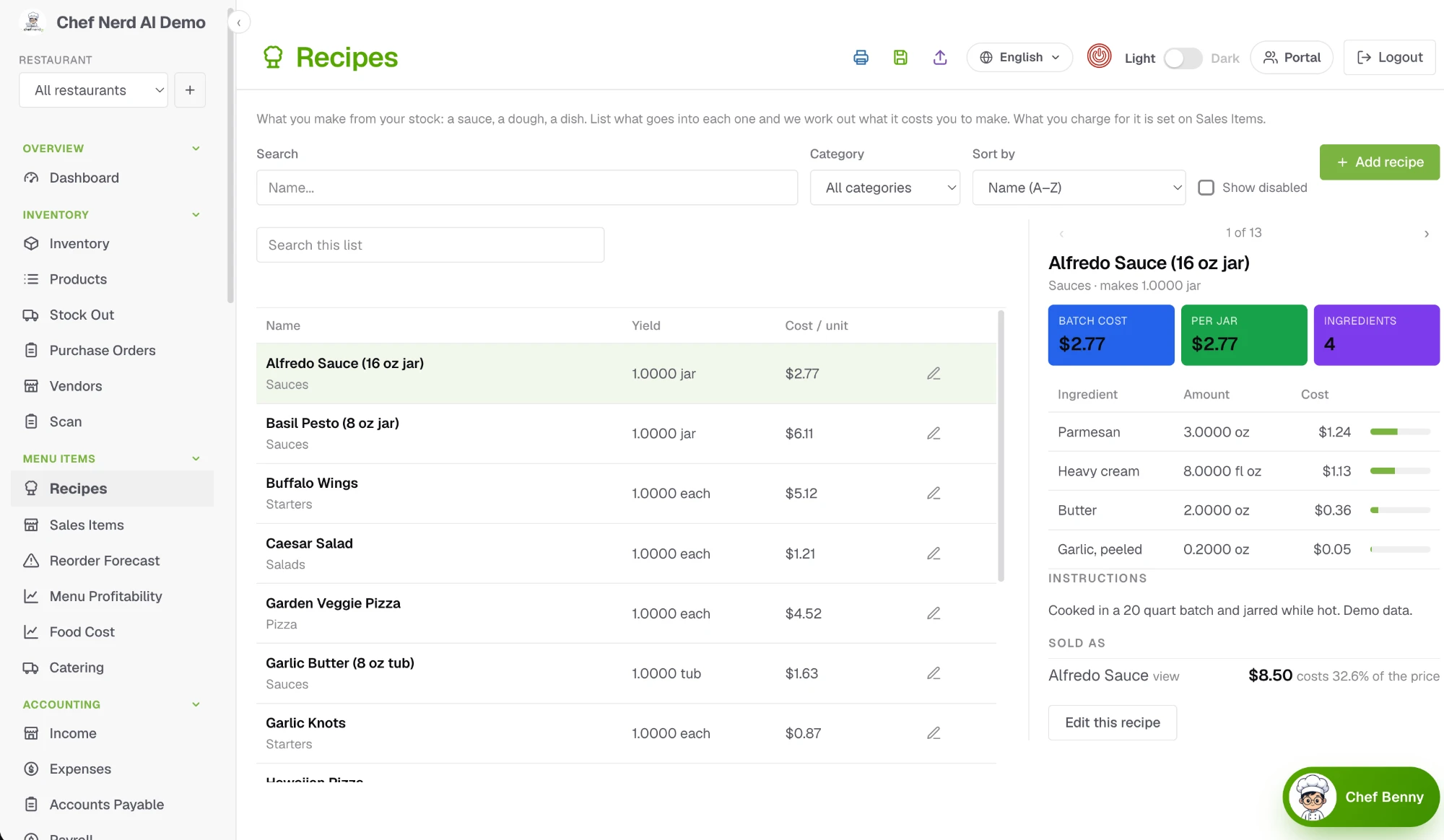
Recipe costing that follows your invoices

List what goes into each sauce, dough and dish. The cost to make it is worked out from your latest prices, next to what it sells for.

  • Batch cost and cost per unit for every recipe
  • Each ingredient with its amount and cost
  • Linked to the menu item you sell, so food cost percent is always in view
Recipes list with a cost card showing batch cost, ingredient amounts and what the dish sells for.

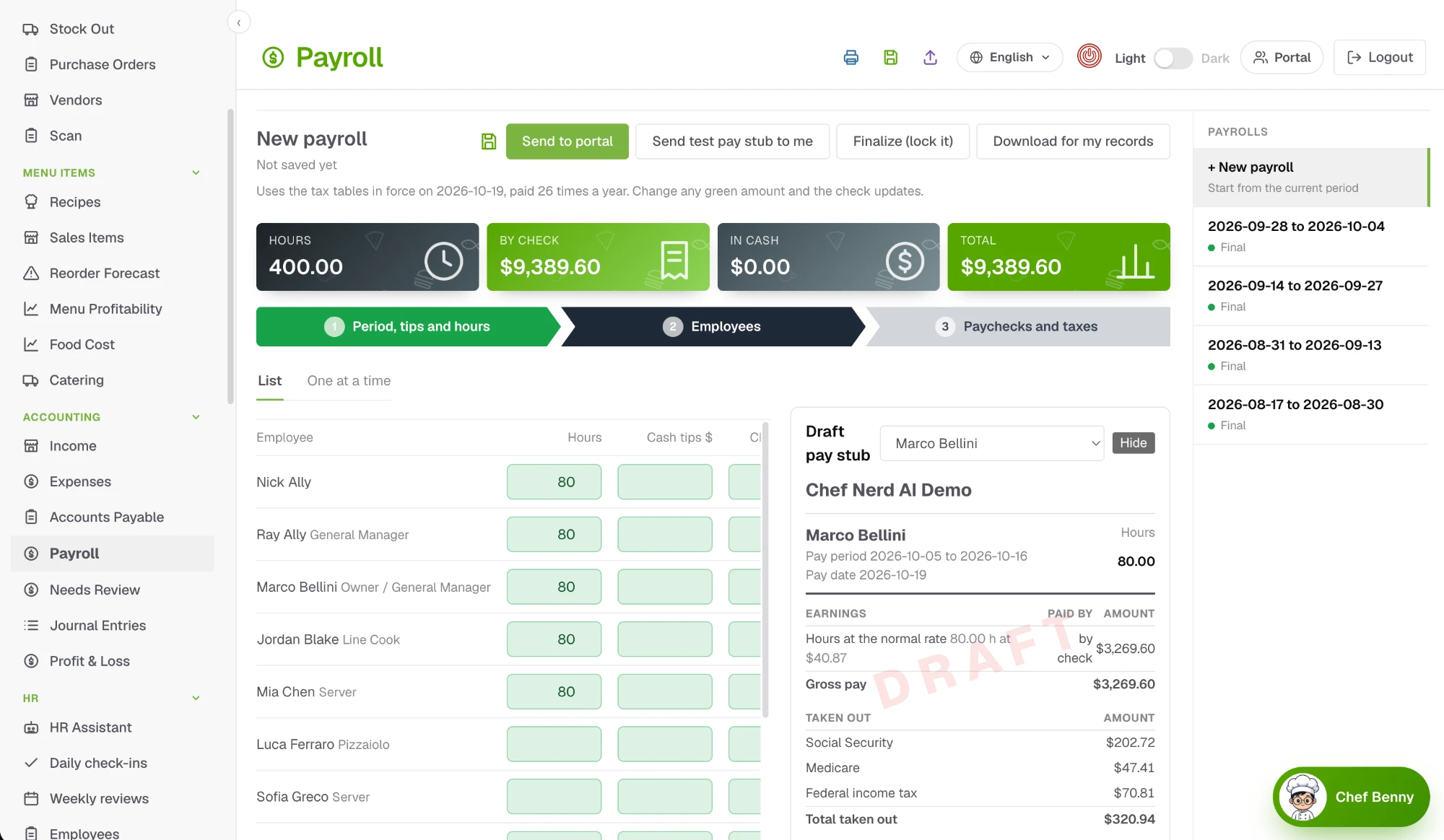
Restaurant payroll from the real time clock

Hours come straight from the time clock. Taxes are worked out for you, and every employee gets a pay stub on their phone the day payroll finishes.

  • Pay by check or cash, with tips included
  • Social Security, Medicare and income tax figured for each paycheck
  • Send a test pay stub to yourself before you finalize
Payroll page with hours and tips for each employee, totals, and a draft pay stub showing earnings and taxes.

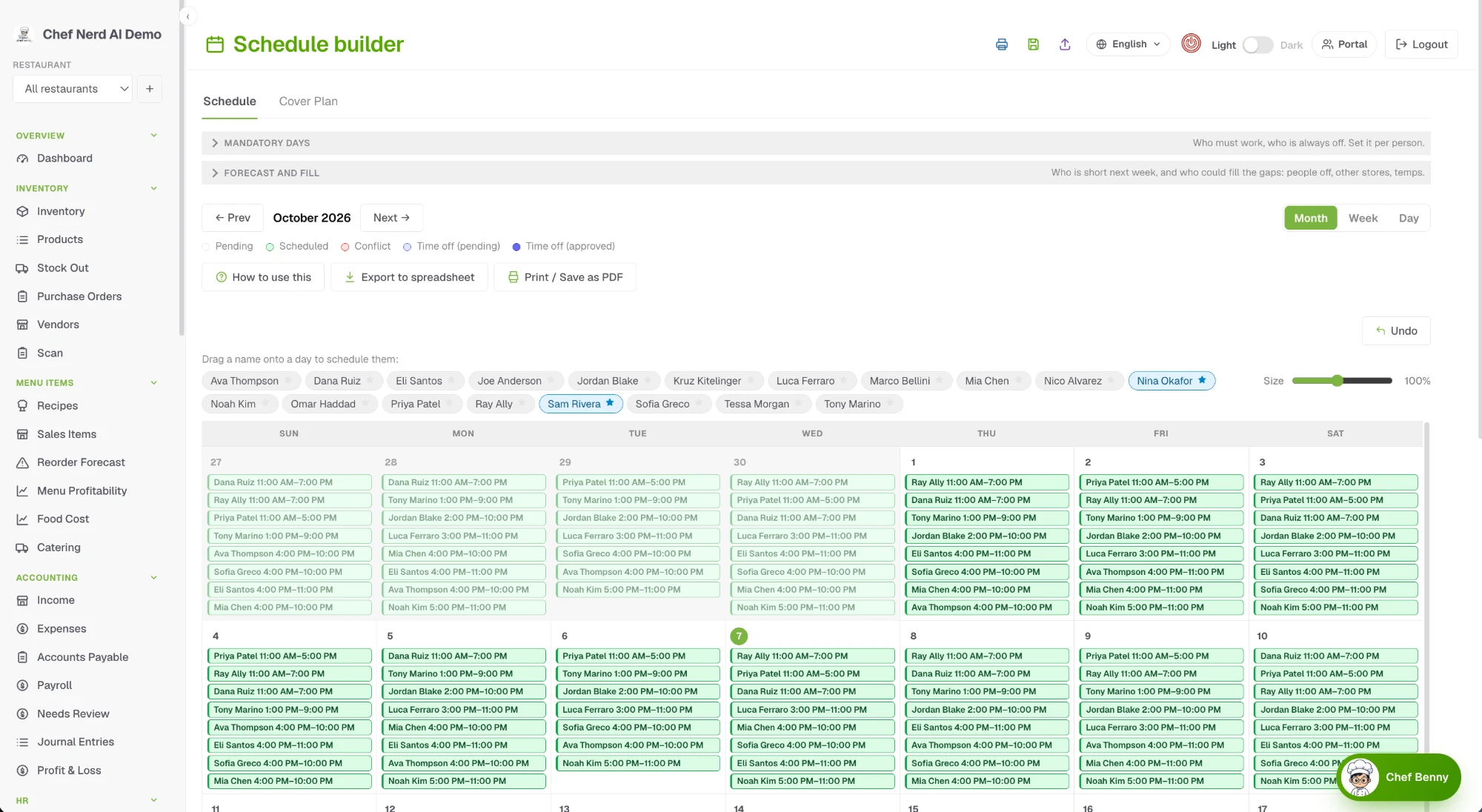
Restaurant scheduling your whole team can see

Plan the day, week or month, drag a name onto a day to add a shift, and look back at what was actually worked. Your staff see only their own shifts and clock in on their phones.

  • Day, week and month views with hours for every person
  • Drag a name onto a day, then pick a shift or a custom time
  • Copy last week into this one
Schedule builder month view with the team's names above the calendar to drag onto a day, and every shift listed on each day.

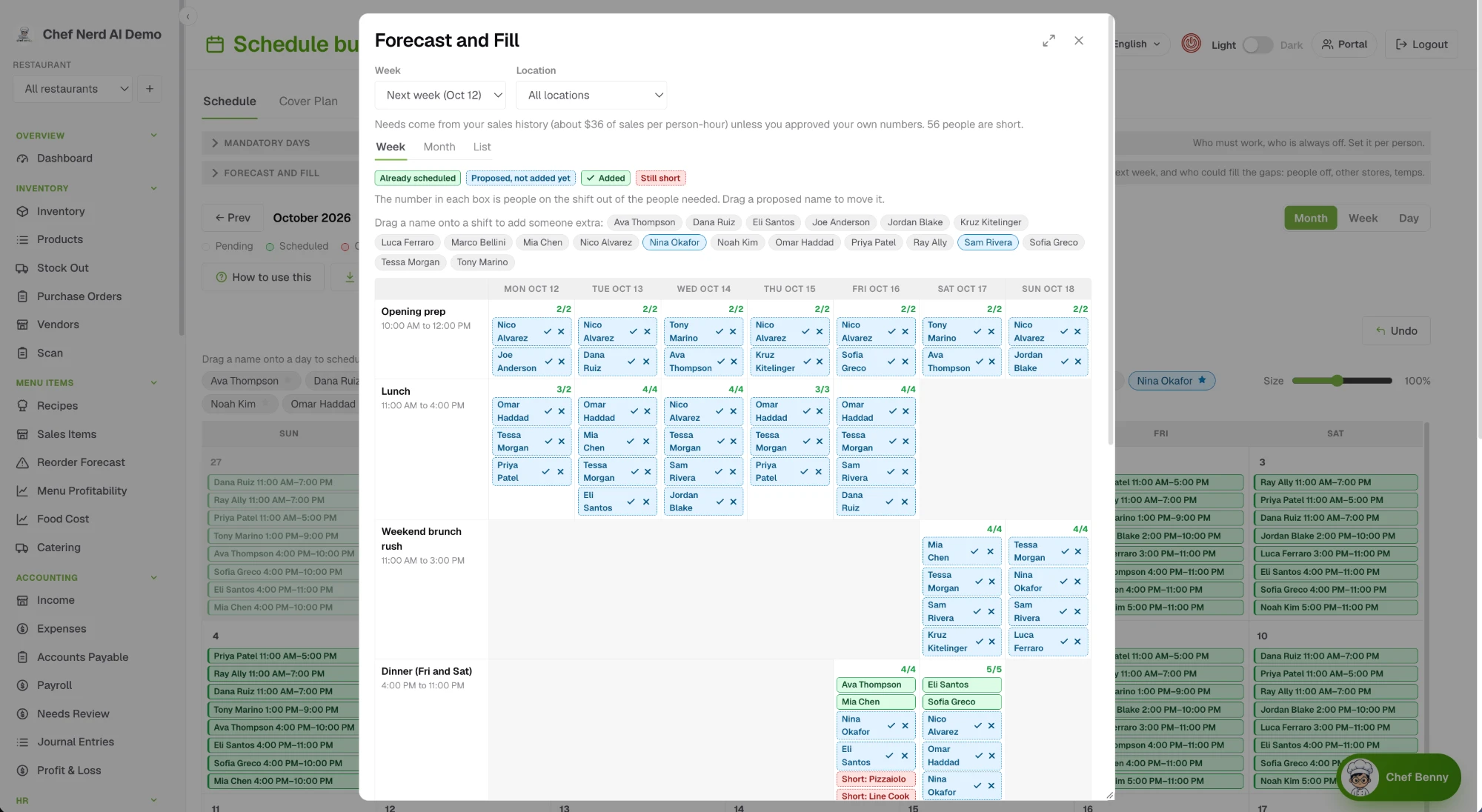
See who is short before the shift starts

Pick next week and see, for every shift, how many people it needs, who is scheduled and where you are short. Needs follow how busy you really are once your sales are connected. Then fill the gaps with people who are off, backups and staff from your other locations, with the names already on a second calendar before anything changes.

  • Needs for every shift, from your sales or your own minimums
  • A named person for every gap, from the day off list or another location
  • Drag names around, save drafts, and add them to the schedule when you decide
Forecast and Fill window showing next week by shift, how many people each shift needs, who is scheduled, and proposed names in blue ready to add.

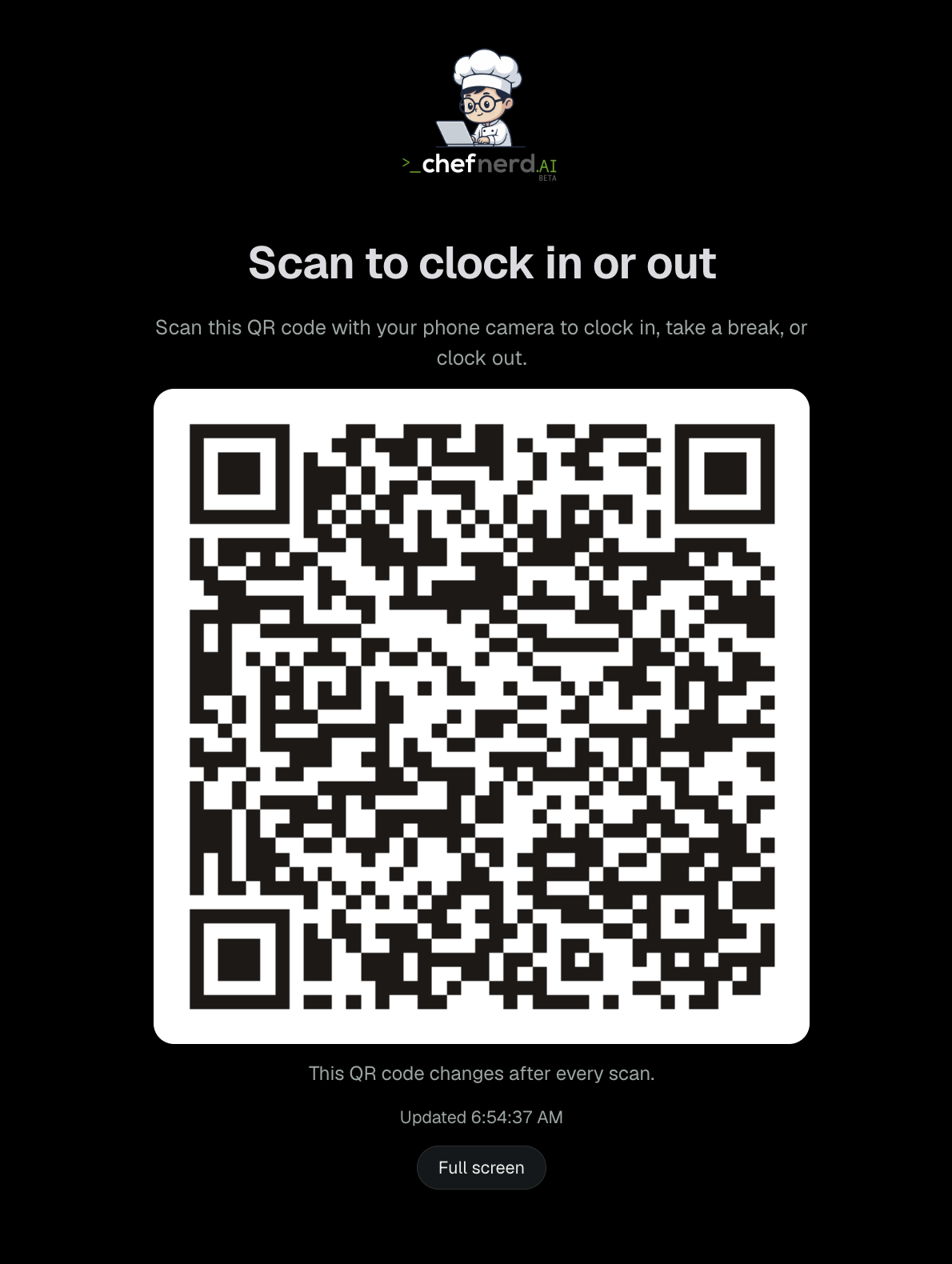
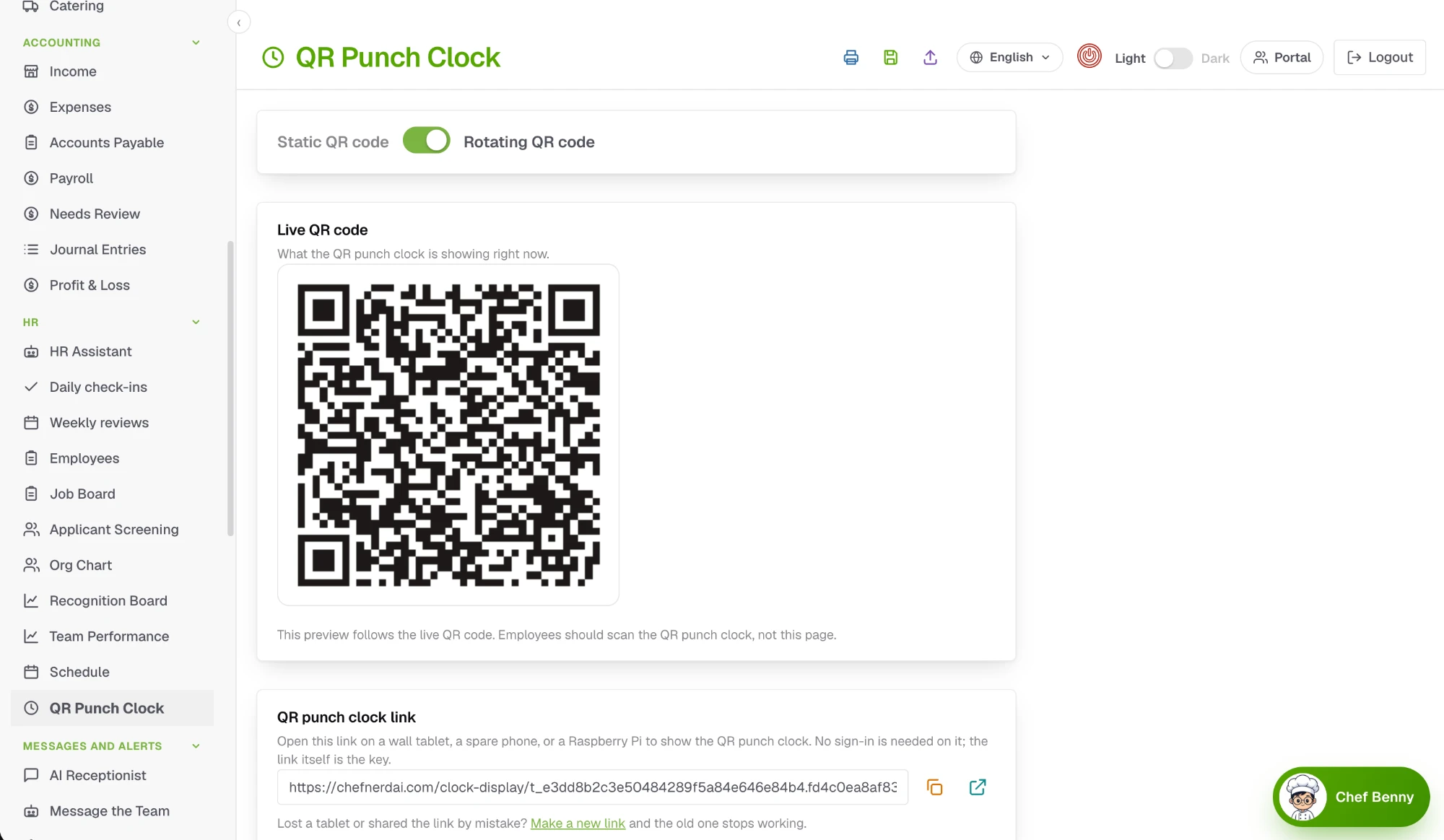
A rotating QR code time clock employees cannot cheat

Put a tablet on the wall. The code changes after every scan, so every clock-in, break and clock-out needs a fresh scan at the restaurant. A photo of the code, or a code sent to a friend, is no good for the next punch.

  • A new code after every scan, so a saved photo cannot be used to punch
  • Clock in, start and end a break, and clock out, each with its own scan
  • No app or sign-in on the wall tablet, and the hours flow straight to payroll
Wall tablet screen showing a QR code to scan to clock in or out.

Rotating or fixed, set with one switch

Choose a rotating code that cannot be copied or a fixed one, copy the link for your wall tablet, and replace it any time if a tablet goes missing.

  • Rotating: a new code after every scan, so it cannot be copied
  • Fixed: one printed code, if you prefer it
  • Works on a wall tablet, a spare phone or a Raspberry Pi, and a new link makes the old one stop working
QR punch clock settings with the live QR code and the link for the wall tablet.

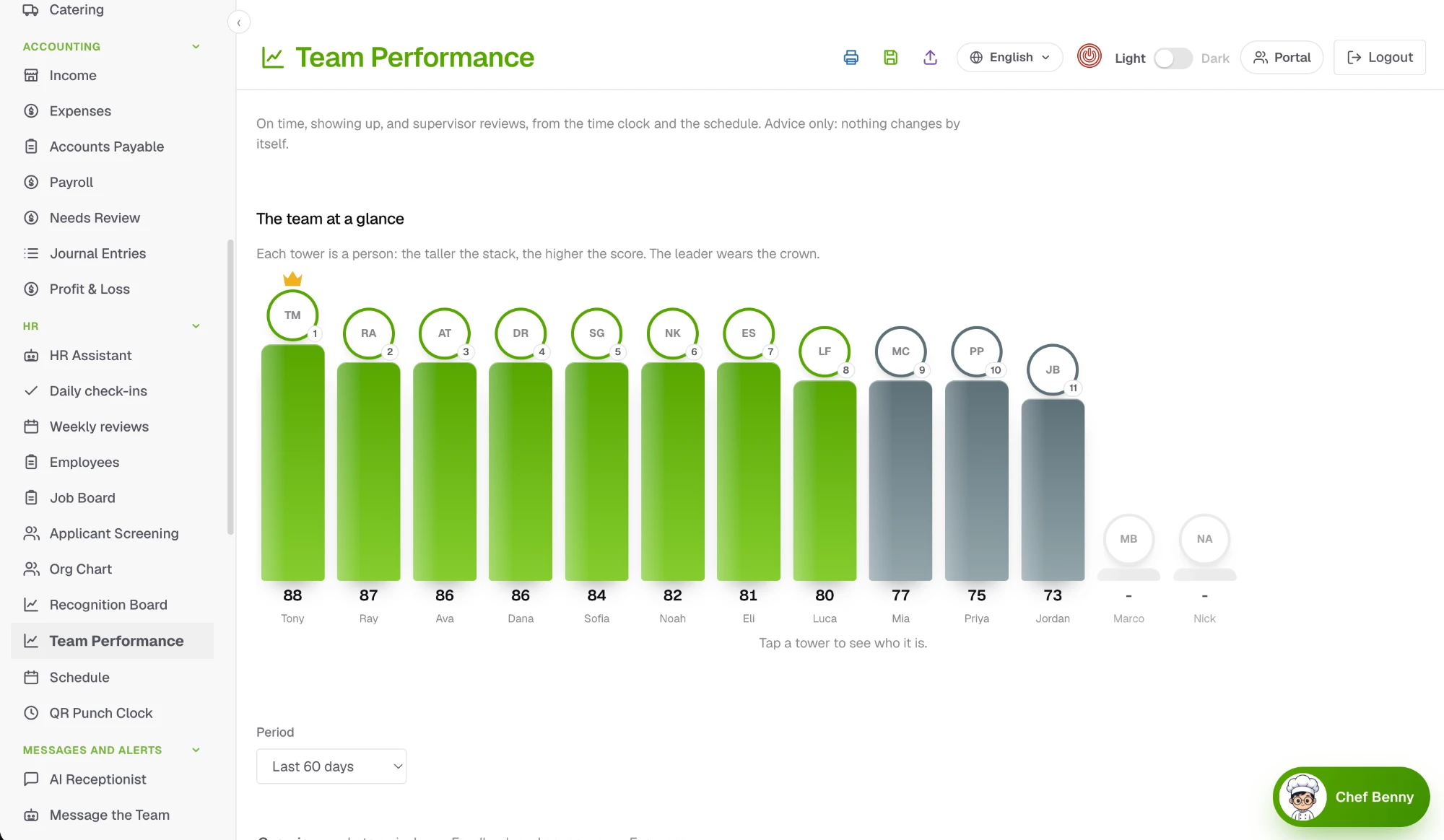
Team performance you can trust

On time, showing up and supervisor reviews come from the time clock and the schedule, so every person has a score based on facts.

  • Ranked by performance, attendance and feedback
  • Late arrivals and feedback in their own views
  • Advice only: nothing changes by itself
Team performance chart ranking each employee by score, with the leader wearing a crown.

Prospecting before you sign a lease

Type an address and get a report on the neighborhood: who lives there, what they spend eating out, rent and the restaurants already there.

  • Real census numbers for the area, not guesses
  • The local restaurant market and the busiest months
  • Every report saved, so you can compare places
Prospecting location report with neighborhood income, spending on eating out, rent and nearby restaurants.

Landing pages for your socials, events and parties

Make a page that works like a Linktree, or a page for a party or event with a sign-up or reservation form. Every page comes with its own QR code and a printable poster.

  • Designed on your phone and checked in a live preview
  • A QR code and a poster in any size
  • See everyone who signed up, right on the page
Landing Pages editor with a phone preview, QR code and poster.

Chef Nerd AI Bakery Studio for photos and video

A Mac app that makes the photo and cuts the video, then sends it to your marketing calendar. Describe what you want, or drop in your own footage from an iPhone, a camera or smart glasses.

  • Add music and captions, and cut the clips together
  • Works on your own Mac with your own storage
  • Free with your Chef Nerd AI account
Chef Nerd AI Bakery Studio on a Mac editing a restaurant video.

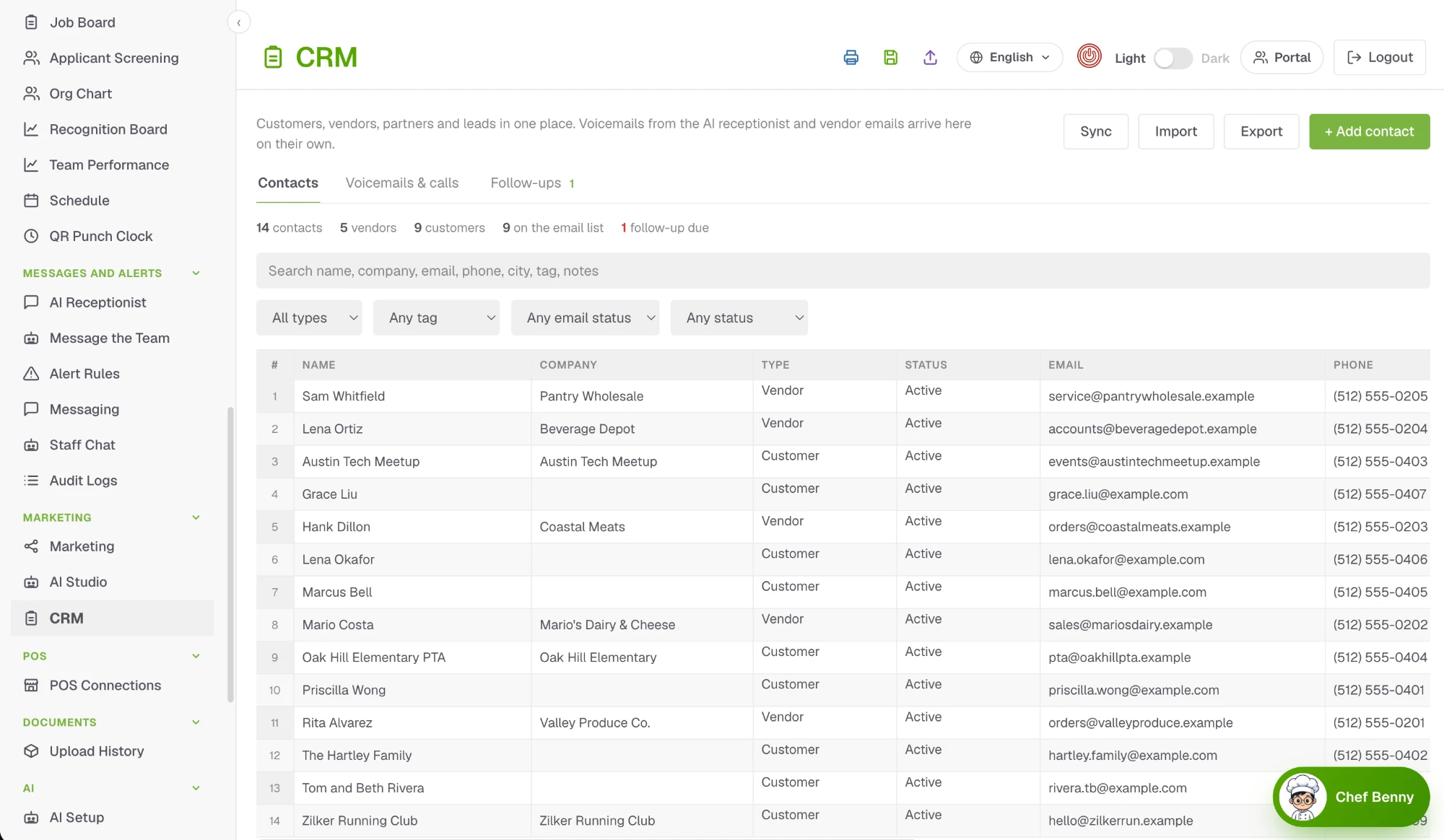
Customers, vendors and leads in one place

Voicemails from the AI receptionist and vendor emails arrive on their own, so every contact has its history.

  • Contacts, voicemails and calls, and follow-ups
  • Filter by type, tag, email status and status
  • Import, export and sync your contacts
CRM contact list with vendors and customers, their companies, emails and phone numbers.

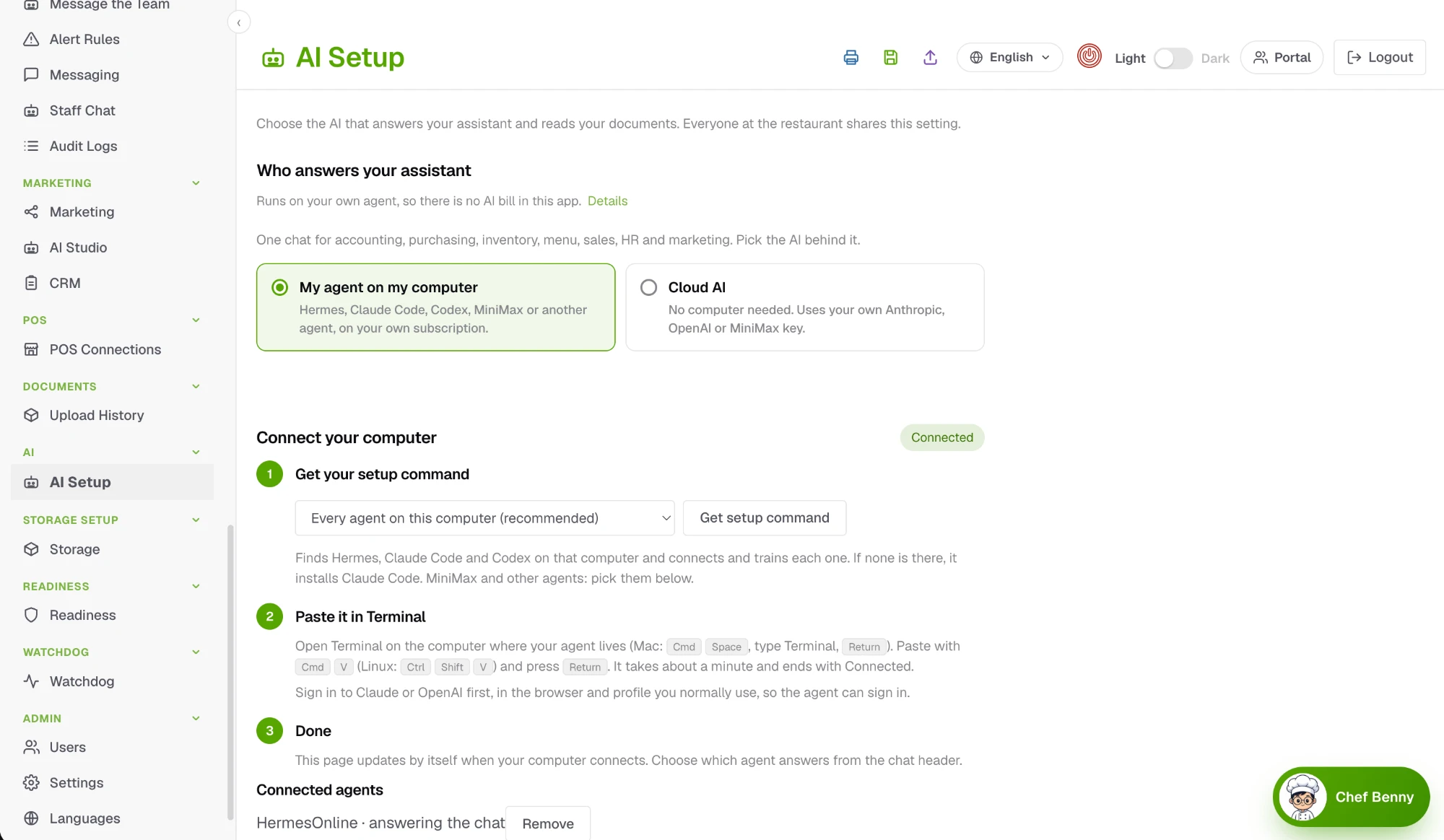
Bring your own AI

Connect an agent on your own computer, or use your own cloud key. Your assistant and document reading run on the AI you already pay for, with no markup.

  • Hermes, Claude Code, Codex, MiniMax or another agent
  • One setup command, about a minute
  • Choose which agent answers from the chat header
AI setup page for connecting an AI agent on your own computer or a cloud key.
Say hello

See it in your restaurant.

Tell us a little about your restaurant and we will show you the parts that matter most, including how Bring Your Own Agent would run on your paperwork and what your monthly AI bill would actually look like.

By sending this you agree that we may contact you about a demo and handle your details as described in our Privacy Policy. You can ask us to delete them at any time.